Music



KATSEYE brings THE WILDWORLD TOUR to New Zealand: All You Need to Know
KATSEYE EXTENDS SOLD-OUT ‘WILDWORLD TOUR’ WITH NEW 2027 DATES ACROSS ASIA, AUSTRALIA AND NEW ZEALAND.
KATSEYE 2027 New Zealand Dates Sold by Ticketmaster
- March 5, 2027, – Spark Arena, Auckland, NZ
Recommended Ticket Tips
• Ticketholders need a My Ticketmaster account to access KATSEYE tickets. Sign up or sign in here.
• All KATSEYE tickets are digital, and can only be accessed via the Ticketmaster App or Ticketmaster.co.nz on a mobile browser – there will be no printed tickets.
• Only purchase through Ticketmaster to guarantee you have a valid ticket for entry on event day.
• Take an extra five minutes to carefully read through this page in detail to best prepare for the ticket on sale.
We know you are counting down the days to get your tickets with us, but before purchasing your tickets you might have some questions – that’s why we’ve put this handy guide together with everything you need to know.

When do tickets go on sale?
EYEKONS Membership Presale – Wednesday 4 November 11 am
Mastercard Presale – Wednesday 4 November 2 pm
KATSEYE.World Artist Presale – Thursday 5 November 3 pm
General Sale – Friday 6 November 2 pm
*All times are local

KATSEYE: THE WILDWORLD TOUR 2027 Ticket Tips
How can I get tickets to KATSEYE?
- EYEKONS MEMBERSHIP PRESALE: WED, 4 NOV, 11AM
- MASTERCARD PRESALE: WED, 4 NOV, 2PM
- KATSEYE.WORLD ARTIST PRESALE: THU, 5 NOV, 3PM
- GENERAL ONSALE: FRI, 6 NOV, 2PM
Who is eligible for each presale for KATSEYE?
EYEKONS Membership Presale: To participate in this Presale, the event organiser requires you must have an EYEKONS Weverse Global Membership and register for the Presale on Weverse by Sunday, 1st November at 11:59pm NZDT.
Mastercard Presale: This presale is for Mastercard holders only. You will only be able to complete your transaction using a valid Mastercard.
KATSEYE.WORLD Artist Presale: This presale is for members of KATSEYE.WORLD only. Become a member by signing up at KATSEYE.WORLD.
Make sure you have a Ticketmaster Account. If you do not have a Ticketmaster Account, please create one prior to the day of the Presales.
How will the sale work during the EYEKONS Membership Presale?
Only EYEKONS Weverse Global Membership holders who have registered for the EYEKONS Membership Presale on Weverse, will be eligible to purchase tickets during the presale.
When it’s your turn to shop, your EYEKONS Weverse Global Membership Number (starting with KE+9 digits) will be required to unlock the tickets. There is no additional presale code needed.
Please save your EYEKONS Weverse Global Membership Number somewhere easily accessible so you can reference it quickly during the sale.
ONLY your GLOBAL Membership number will be validated.
How do I find my EYEKONS Weverse Global Membership Number?
Follow these simple steps:
- Open the Weverse app and open KATSEYE Weverse
- Tap the “Membership” icon
- Click on “View Membership Details” under your “EYEKONS Membership” to access your mobile membership card
- Find your 9-digit EYEKONS Membership Number on the card starting with KE
- For the show in New Zealand, only the GLOBAL Membership will be eligible
Do I need a code to access the General Public Sale for KATSEYE?
No. To access the General Public sale, you may join the queue by signing into your Ticketmaster account.
What is the ticket limit for KATSEYE?
There is a maximum of 4 tickets per show for the presales and the General Onsale.
Please adhere to the published ticket limit. Persons who exceed the ticket limit may have any or all of their orders and tickets cancelled without notice by Ticketmaster at its discretion. This includes orders associated with the same name, e-mail address, billing address, credit card number or any other information.
How do I purchase Accessible Seating tickets?
We’ve updated our seating framework to include a larger range of accessible seating options. There will be an option for every price level and package available for KATSEYE.
Accessible seats can be purchased by calling our Customer Service team on the Accessible Bookings line: 09 970 9711. This phone number is reserved for patrons with accessibility requirements and can not process any other ticketing requests. Accessible tickets, both during presales and the general public sale period, can also be requested via our Submit a request – Ticketmaster Help. Please be sure to include your relevant presale code with your request if wanting to make a booking during the presale period.
Venues are solely responsible for establishing their own accessible seating ticket policies. Availability and type of accessible seating tickets will vary by venue.
Will there be a queue in place prior to ticketing going on sale?
We expect that tickets to KATSEYE will be in high demand, and to make the process fair for everyone you may be placed in a queue.
You will be assigned a random place in the queue once the onsale starts. Your place in the queue is not based on what time you entered the Waiting Room. We suggest entering the Waiting Room 15-30 minutes prior to the start of the Presale.
Once you get your spot in the queue, please do not refresh your browser as you will be pushed to the end of the line.
We will get you through the queue as quickly as possible, so please sit tight.
How will I receive tickets?
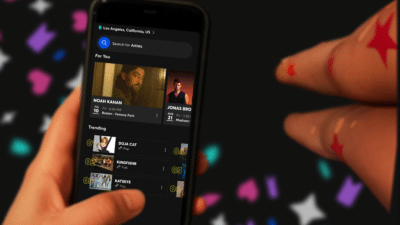
All tickets purchased through Ticketmaster are now digital, meaning you can easily access your tickets on your phone via the Ticketmaster app or mobile web browser via Ticketmaster.co.nz, add them straight to your phone’s ticket wallet, and share them with your friends and family.
What are the top tips to know before purchasing tickets
Ticketholders need a My Ticketmaster account to access KATSEYE tickets. Sign up or sign in here.
Only purchase through Ticketmaster to guarantee you have a valid ticket for entry on event day.
Take an extra five minutes to carefully read through our ‘All You Need to Know’ article in detail to best prepare for ticket on sale.
Log into your Ticketmaster account and update your password if needed!
Get in early and ensure all your MyTicketmaster account details are up to date – from your password to your card details and your phone number.
Ticketmaster will regularly ask you to update your password to ensure the security of your account – you don’t want to get stuck having to change your password while the ticket timer is counting down during onsale as you can risk losing the incredible tickets you have secured.
Instead, now that you know you want to purchase tickets, log into your account and update your password today to ensure you are ready to nab those tickets.
Get to know Ticket Transfer so everyone has their own ticket
1. Open the Ticketmaster App
2. Tap on my events and select the event you want to Ticket Transfer
3. Tap ‘Transfer’ below the ticket you want to share (please note: you may have to wait a moment for the ‘Transfer’ button to load)
4. On the ‘Select Tickets To Transfer’ page, confirm the ticket you want to share (please note – you must Transfer each ticket individually)
5. Tap the ‘Transfer To’ button. Tap ‘Manually Enter A Recipient’ & enter your friend’s ‘First Name’, ‘Last Name’, and ‘Email Address or Mobile Number’
6. Tap ‘Transfer Ticket’. The ticket in your account will now say “Sent”. You can cancel or recall the Ticket Transfer at any time.
7. Your friend receives an email, asking them to accept the transferred tickets, and they can either login or create a new Ticketmaster account to accept.
8. The tickets are now ready to go in your friend’s Ticketmaster account and marked as ‘Transferred’ in your account
Find out more about Ticket Transfer – including how to accept and open a transferred ticket here.

Hints and tips for improving your chances of getting KATSEYE tickets
Make sure you have a My Ticketmaster account
Get the basics covered before tickets go on sale by logging in and checking your Ticketmaster account ahead of time. If you don’t have a Ticketmaster Account then make sure you sign up in advance – Ticketmaster.co.nz.
Sign into your My Ticketmaster account ahead of time
Remember to triple check your passwords, account information, and billing information are all filled in correctly in advance, that way you’re not facing any last-minute account updates when trying to process your order.
Keep your options open with ‘Best Available’
Save time by searching “Best Available,” which scans all sections fast – it’s quicker than searching sections one at a time.
Keep an eye on the clock
There will be a time limit applied to all transactions as you are progressed through the ticket purchasing stages. Remember to keep an eye on the timer on your screen and move through the processing pages as quickly as possible (this is even easier when you’ve completed the account set-up stage we mentioned above).
Don’t refresh your screen
Stick to one window while you’re in the Waiting Room and when you’re being pushed through the Smart Queue and always resist the urge to refresh.
Hitting the refresh button means you’ll lose your place in the queue and, as frustrating as it can get, patience is the only way to win this game. Ticketmaster is equipped with sophisticated systems that are designed to manage and process ticket purchases as quickly as possible. The queuing system that appears on your screen will place you at the front of the line as soon as possible.
Remember: there are a lot of fans
We’re expecting this to be a very popular event. When a popular event goes on sale there are hundreds, and sometimes thousands, of customers all attempting to purchase tickets at the same time. Tickets are sold as long as seats are available, and when an act is this popular, sometimes they go very quickly.
Be sure to follow the above tips to ensure you have the best chance of snapping up some tickets.
KATSEYE- will be coming to New Zealand in MARCH 2027. Tickets are on sale via Ticketmaster.co.nz